
How to Install ASP.NET on a Windows Dedicated Server?
ASP.NET is a powerful framework for building dynamic websites and enterprise applications.
For developers, it’s preferred because of its speed, security, and smooth working within the Microsoft ecosystem.
In order to begin an ASP.NET project, you need right hosting services, which nothing does support better than a windows dedicated server.
A dedicated server provides full access, high speed, and full control of the hosting server.
This makes the installation and management of ASP.NET a lot easier and much more secure than on shared or limited hosting systems.
This blog will cover a simple, practical way to install ASP.NET on your server and give you some tips on keeping it up and running.
1. Prepare Your Windows Server Environment
Make sure your Windows server is updated and ready before going with installation.
Be it with an affordable option, a mid-range machine, or even a premium best Windows dedicated server,
updates make sure compatibility and security.
Go to:
Settings → Windows Update → Check for updates
Install everything needed. Restart the system if needed.
If you have recently selected a plan through a provider providing windows dedicated server hosting,
many updates may already be applied.
2. Enable the Web Server (IIS)
ASP.NET runs on IIS, so it needs to be activated first.
Here’s how:
- Open Server Manager
- Click Add roles and features
- Select Web Server (IIS)
- Add the required sub-features.
- Confirm and install
Once IIS becomes activated, your server becomes a Windows web hosting server,
where it can serve websites and applications.
For users in India, local servers such as Windows Web hosting options in India,
can improve the loading speed of regional traffic.
3. Install ASP.NET from Server Manager
Now that IIS is installed, you can add ASP.NET:
- Open Server Manager
- Go to Roles and Features
- Selecting .NET Framework Features
- Enable ASP.NET, ISAPI Extensions and ISAPI Filters
- Install and restart if needed
The following steps prepare your server for hosting ASP.NET apps on both basic and advanced Windows Server hosting setups.
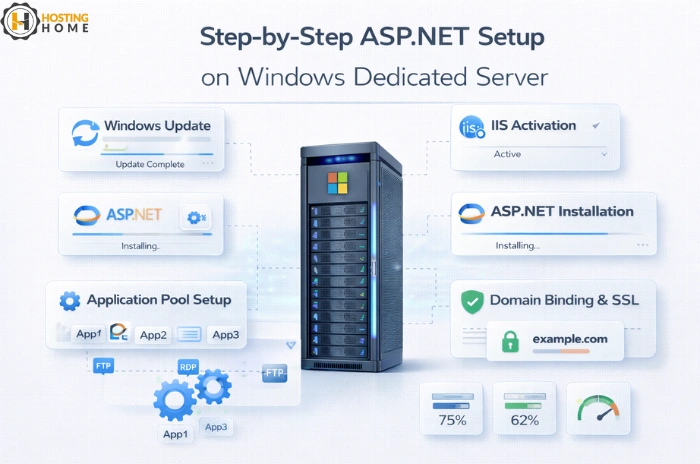
4. Configure Application Pools
Application pools make your server run several ASP.NET applications smoothly.
To setup:
- Open IIS Manager
- Go to Application Pools
- Choose the Correct .NET CLR Version
- Adjust pipeline mode if required
- Restart the pool
Fine-tuning becomes even easier when high-speed hosting like windows dedicated server hosting India is used, where the availability of resources is strong.
5. Upload Your ASP.NET Application
You may upload your files in several ways:
- FTP / FTPS
- RDP File Transfer
- Upload directly from a folder
- Deployment tools, such as Web Deploy
Once uploaded, correctly set the file permissions.
With windows hosting plans setup, file transfers stay fast and secure.
6. Bind the Domain and Test the Website
To make your application live:
- Open IIS Manager
- Choose your site
- Click Bindings
- Enter your domain
- Assign Ports and SSL
Test your website across browsers after binding.
This makes sure that everything runs correctly on your preferred windows web hosting environment.
7. Monitoring and Upgrading
Once your ASP.NET app is live, keep updating your server. Tasks like:
- Check CPU Usage
- Check memory Limits
- Review event logs.
- Updating modules
- Securing the server
Better hardware, such as windows dedicated server India solutions, maintains speed under heavy load.
What about free servers?
Some people try to use a free windows dedicated server for testing,
or a short trial of cheap windows hosting, but it is not suitable for any kind of serious ASP.NET deployment.
Real projects need powerful servers, predictable resources, and properly protected data.
That is why businesses choose trusted solutions:
either a full machine or windows virtual dedicated server hosting, based on the needs.
Why Hosting Home Is the Best Choice for Windows Dedicated Servers
Hosting Home offers powerful, fully optimized Windows hosting built for ASP.NET framework.
From running web applications, enterprise tools, CRM systems, to custom applications, our servers provide all that is needed to deploy smoothly and securely.
Why Developers choose Hosting Home:
- High-speed SSD Windows servers
- Free SSL certificate
- Free DDoS protection
- Free weekly backups
- Free migration support
- Complete admin (RDP) access
- 99.99% uptime guarantee
- Easy upgrade paths
- Transparent windows dedicated server price
- Affordable options like cheap windows dedicated server
- Premium Features for best windows hosting in India
- Fast support via WhatsApp
- Instant Setup of all plans
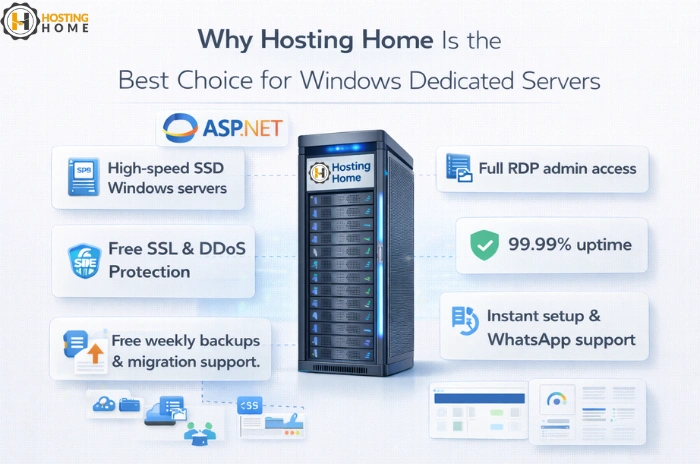
Hosting Home makes sure a smooth setup process from ASP.NET installation to long-term hosting needs on a secure Windows dedicated server platform.