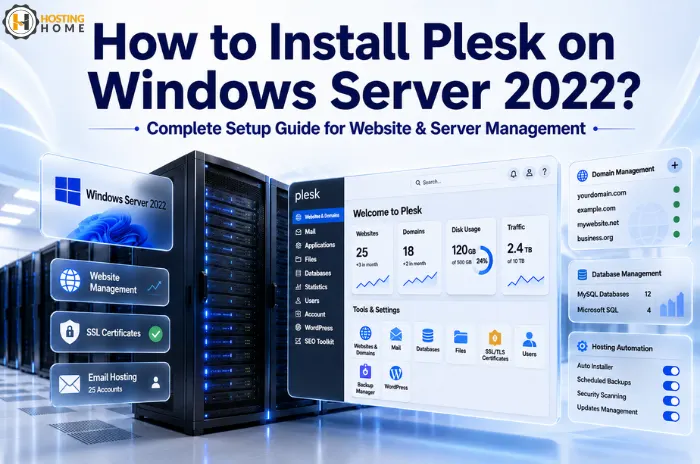
How to Install Plesk on Windows Server 2022?
If you manage websites on a Windows-based server, a good control panel can save a lot of time. Plesk provides a simple dashboard that lets you manage your domains, emails, databases, SSL certificates, and websites from one place, rather than handling everything via the command line or Windows settings.
Many businesses using a Windows dedicated server choose Plesk because it makes server administration easier, even for users who aren’t server experts.
In this blog, we will look at how to install Plesk on Windows Server 2022, along with a few things to check before you start.
Why is Plesk popular on Windows Servers?
Windows Server 2022 is widely used for hosting ASP.NET Applications, MSSQL Databases, and Business Websites. While Windows itself provides management tools, Plesk adds a much simpler interface for daily tasks.
For example, if you host multiple websites for your clients, Plesk allows you to:
- Create domains quickly
- Manage email accounts
- Install SSL certificates
- Configure databases
- Monitor server resources
That is why many businesses running Windows dedicated server hosting environments prefer using Plesk.
Things to Check Before Installation?
Before installing Plesk, make sure your server is ready.
You should have:
- Windows Server 2022 installed
- Administrator access
- A stable internet connection
- Sufficient disk space and RAM.
- A valid hostname that has been configured.
If you’re using a managed Windows dedicated server, your provider may even assist with the installation process.
Taking a few minutes to verify these requirements can help avoid installation issues later.
Downloading the Plesk Installer:
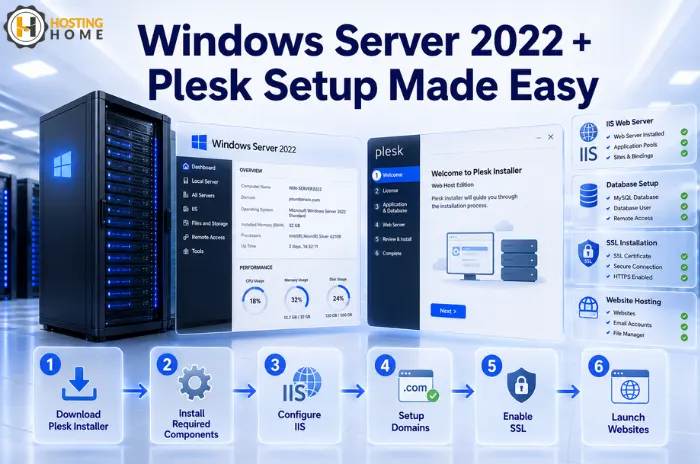
The installation starts by downloading the official Plesk installer.
Once downloaded:
- Run the installer as Admin.
- Allow Windows to make changes if prompted.
- Select the recommended installation option.
- Choose the components you want to install.
Most users simply opt for the recommended package, as it includes everything needed for website hosting.
Installing Required Components?
During installation, Plesk may automatically install additional services such as:
- IIS (Internet Information Services)
- PHP versions
- Database tools
- Mail services
Depending on your internet speed and server setup, this process may take some time.
If you are using a fully managed Windows dedicated server, these components are often preconfigured, making deployment much faster.
Your First Login After Installation
Once the installation is complete, open your browser and access the Plesk login page.
You’ll be asked to:
- Create an administrator account.
- Enter your license information.
- Configure basic settings
Once completed, you will have access to the main dashboard.
At this point, many users are surprised by how much easier server management becomes compared to handling everything manually.
The First Settings Most Administrators Review.
A common mistake is stopping after installation without reviewing the basic configuration.
A few settings worth checking include:
- Automatic updates
- Firewall configuration
- Backup schedules
- SSL certificates
- Email settings
These minor changes help to improve both security and reliability.
For businesses running customer websites, these settings are often more important than the installation itself.
Real-World Example
Imagine a web design agency hosting 20 client websites.
Without a control panel, tasks like:
- Adding domains
- Creating email accounts
- Managing databases
- It can take significantly longer.
With Plesk, most of these tasks are completed in a few clicks. This is one reason agencies looking for the best Windows dedicated server hosting in India often prefer a server that supports Plesk.
The time saved on routine administration quickly adds up.
What Usually Goes Wrong During Installation
Although installation is usually very simple, some problems occasionally occur:
- Windows Firewall is blocking connections.
- Insufficient server resources
- Missing Windows updates
- Incorrect hostname configuration
Most of these issues are easy to resolve once identified.
Keeping the operating system updated before installation helps to prevent many common problems.
Windows Dedicated Server Hosting at Hosting Home.
Hosting Home provides reliable Windows server solutions for businesses, developers, and agencies looking for performance and flexibility.
Features include:
- Windows dedicated server hosting plan starting at ₹5299.
- Plesk and Windows Server support.
- Enterprise-grade hardware
- NVMe SSD storage for faster performance.
- Free migration support
- Free DDoS protection
- Free Weekly/monthly backups
- 99.99% uptime guarantee
- High-priority WhatsApp support
Whether you are hosting a business website, ASP.NET applications, or client projects, Hosting Home provides reliable hosting servers with the support needed to keep everything running smoothly.